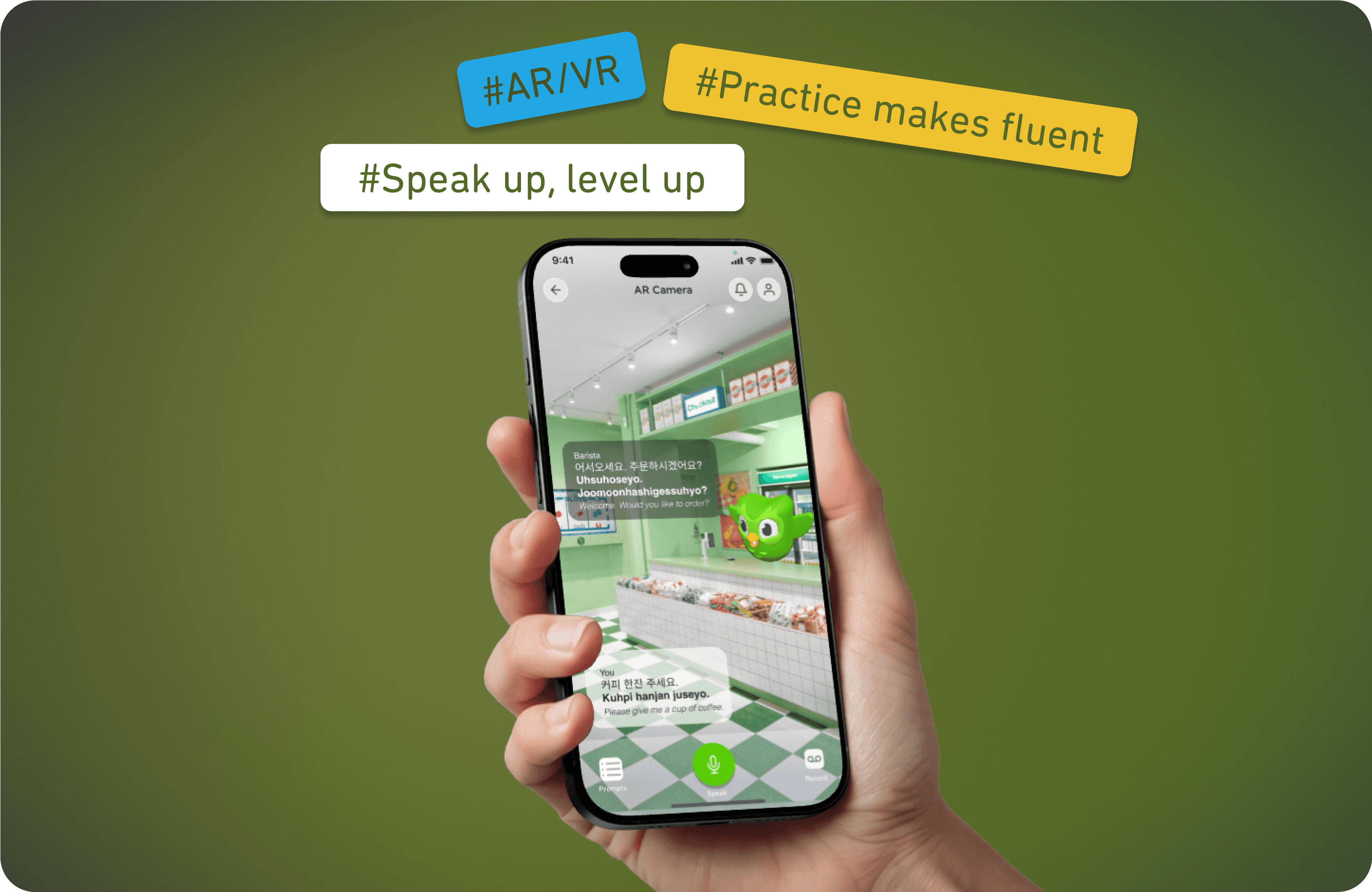
An AR and AI extended feature to turn community chats into immersive language experiences.
Background
These days, more of us want to travel, meet new people, and understand different cultures — and learning a language is a big part of that.
With quick lessons, cute graphics, and game-like rewards, Duolingo helps beginners get started without feeling overwhelmed.
Duolingo teaches the basics, but to actually speak and understand a language in real life, you need more practice talking with others.
Problem: Duolingo lacks effective tools for natural speaking and listening practice, forcing users to rely on outside platforms that can feel intimidating or disconnected from their learning journey.

Target Users
People who've built a streak and learned the basics but feel stuck when it comes to actually speaking the language.
Users who enjoy interactive, playful learning experiences and aren't afraid to try new features like AR or AI chats — curious, globally-minded people who want to use the language in real-life settings.
Design Challenges
Many learners feel nervous speaking out loud. Create an environment where they can practice without fear of making mistakes or being judged.
Duolingo lessons are mostly solo and text-based. Get users talking, engaging their voice and reactions in real-time, just like real conversations.
Language learning can feel lonely. Make it more social by helping users connect with others learning the same language — and make it fun, not awkward.
My Approach
To improve the learning experience and make it more flexible, I worked with users to audit the app, simplify the flow, and reorganize the layout so the new feature could fit naturally into Duolingo's existing structure.

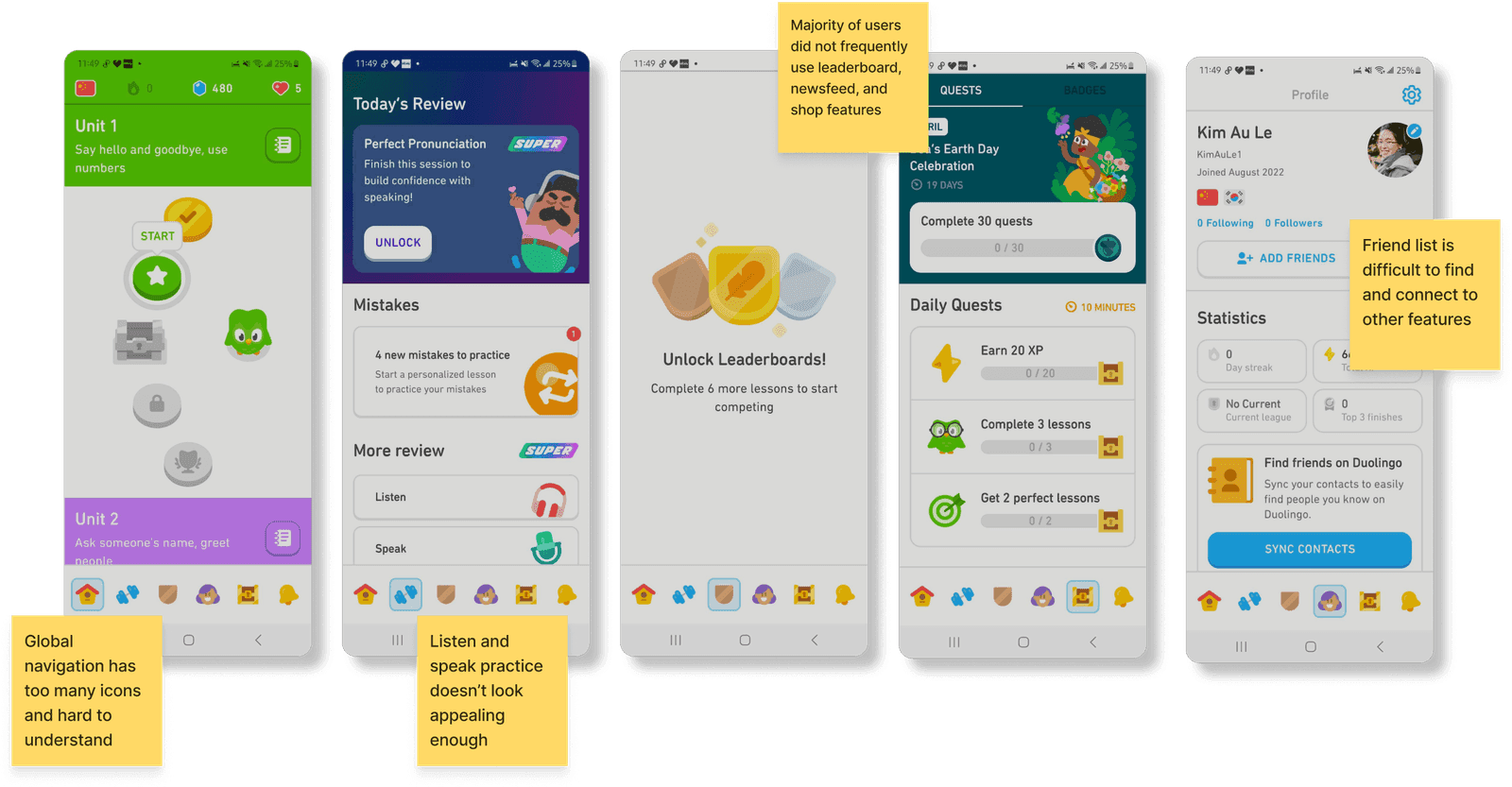
Problem: The bottom menu feels cluttered and hard to understand. Fix: Use fewer icons with clear labels or tooltips.
Problem: Speaking and listening exercises look plain and repetitive. Fix: Add animations, progress feedback, or characters.
Problem: These features aren't clearly tied to learning goals. Fix: Reframe them as motivational tools like rewards for consistent speaking.
Problem: The friend list is buried and doesn't feel connected to learning. Fix: Move it to the main menu and add practice-with-friends challenges.
Problem: Users get corrected but don't understand the reasoning. Fix: Give short, friendly explanations after errors.
Problem: Sometimes marks users wrong even when pronunciation is fine. Fix: Improve sensitivity and let users replay and compare.
Before starting the project, I explored how the app works and how users interact with it. I looked into common challenges and gathered insights, which we grouped into 5 key findings:
To better understand the problem, I looked at other language learning apps and similar tools, reading user reviews to see what people liked and where they got stuck.
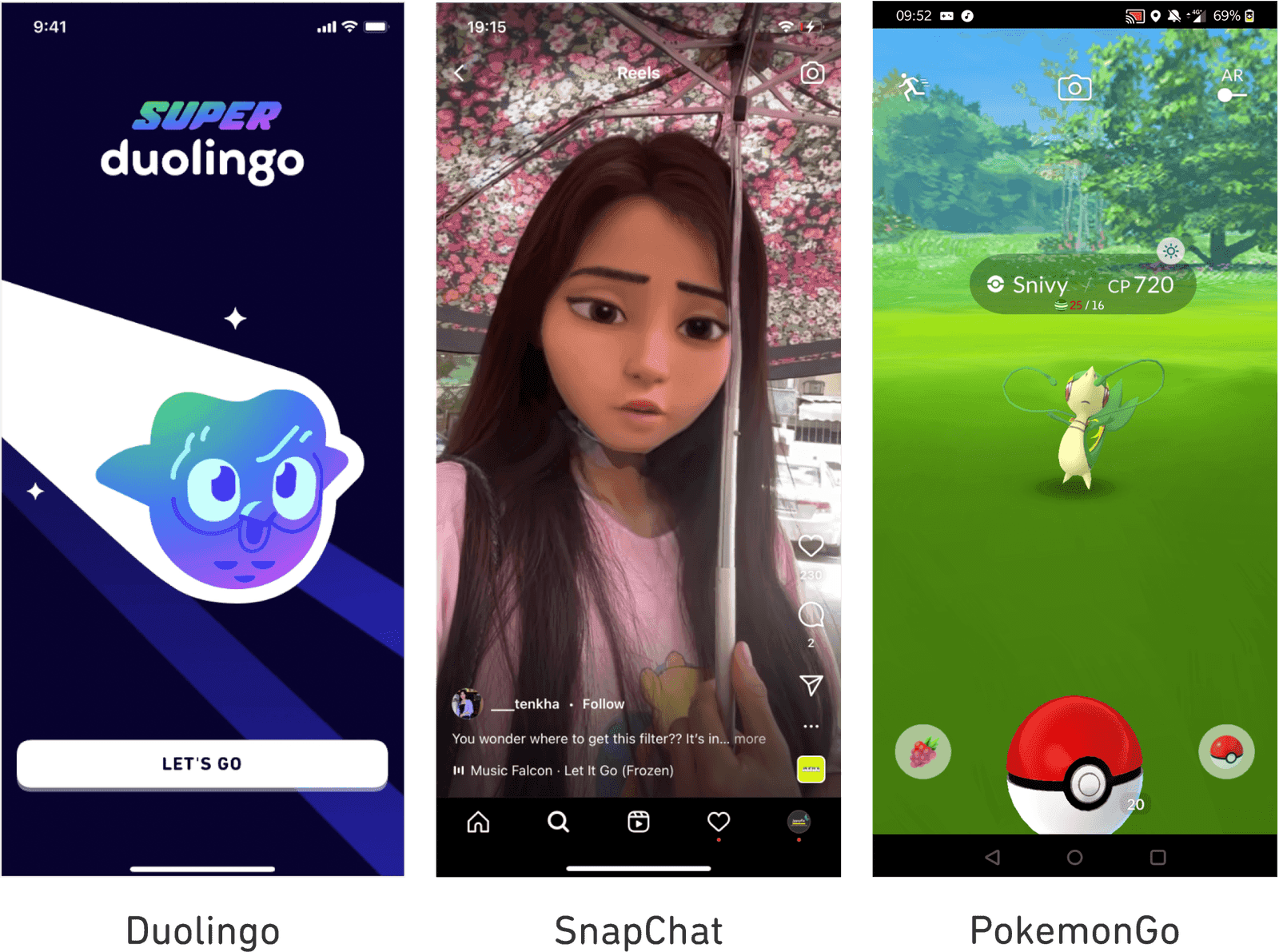
Snapchat filters let people play with identity and have fun being someone else. We liked using filters so users can stay anonymous and feel more comfortable practicing conversations.
Its AR features inspired us to create a safe, interactive experience for younger users — connecting in real life through the app, with age-appropriate filters and content moderation.
Conceptualize
After research and team feedback, we explored ways to make learning more fun using AR and AI, taking inspiration from games like Pokémon Go and Snapchat filters.
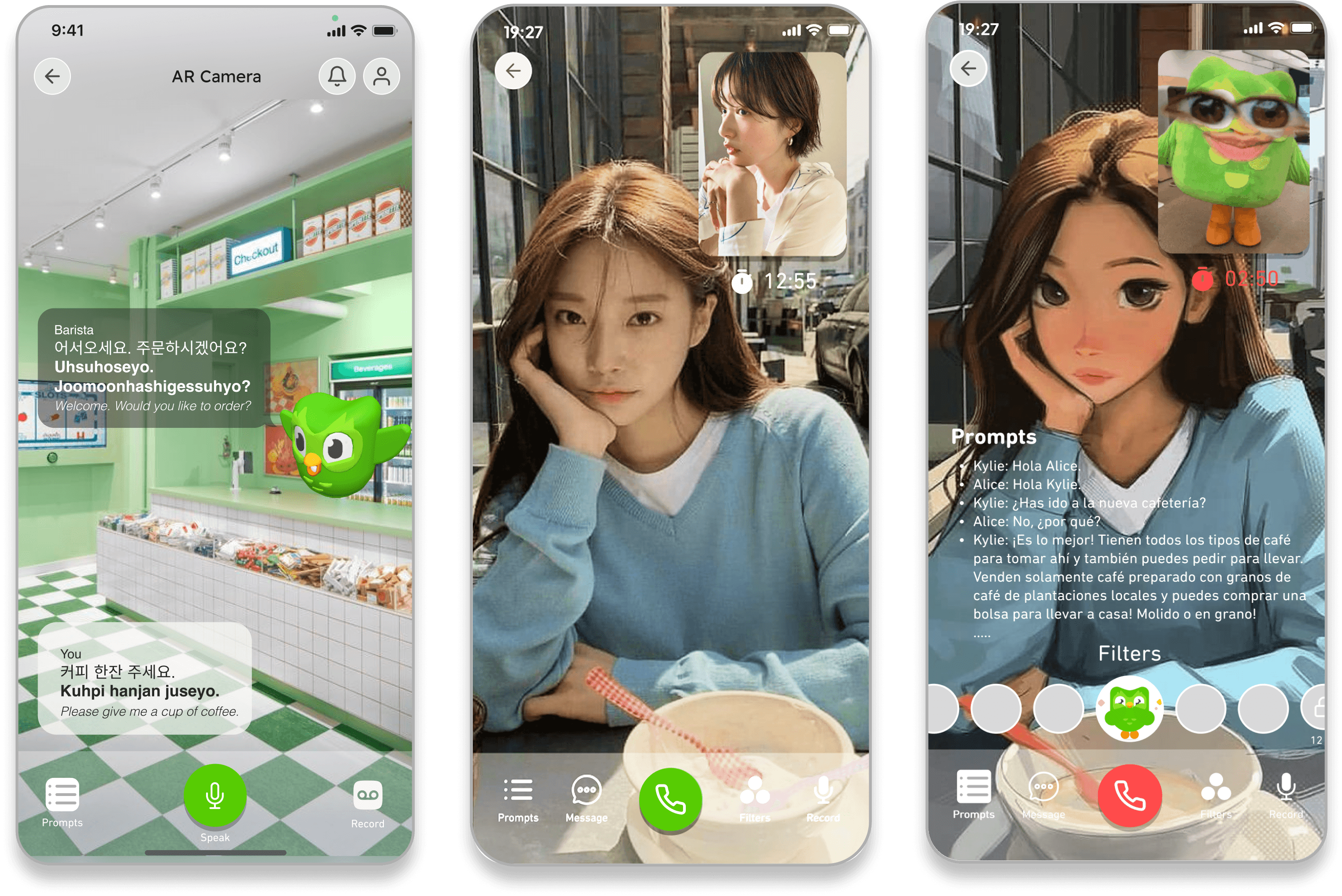
Anonymous matching with learners at a similar level; AR masks or avatars during live chats; roleplay scenarios like ordering food or job interviews.
Age-based content moderation with limited open chat; pre-scripted, guided interactions; visual feedback and rewards for real-life missions.
Learners walk around and "unlock" vocabulary by scanning real-world objects; daily AR quests; badges for landmarks and location-based tasks.


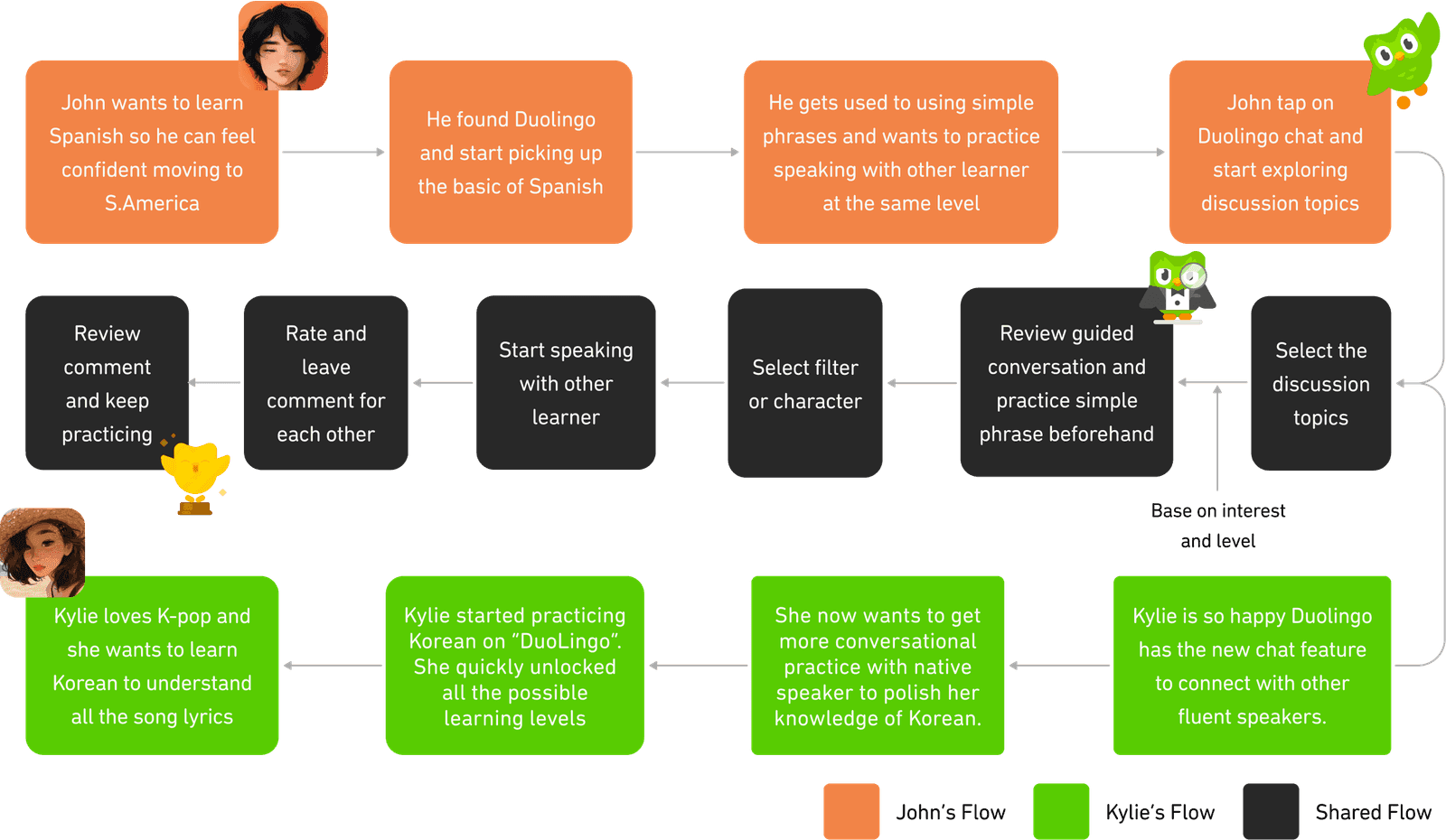
Then I conducted a user flow to have a more concrete idea of how users would engage in certain tasks.

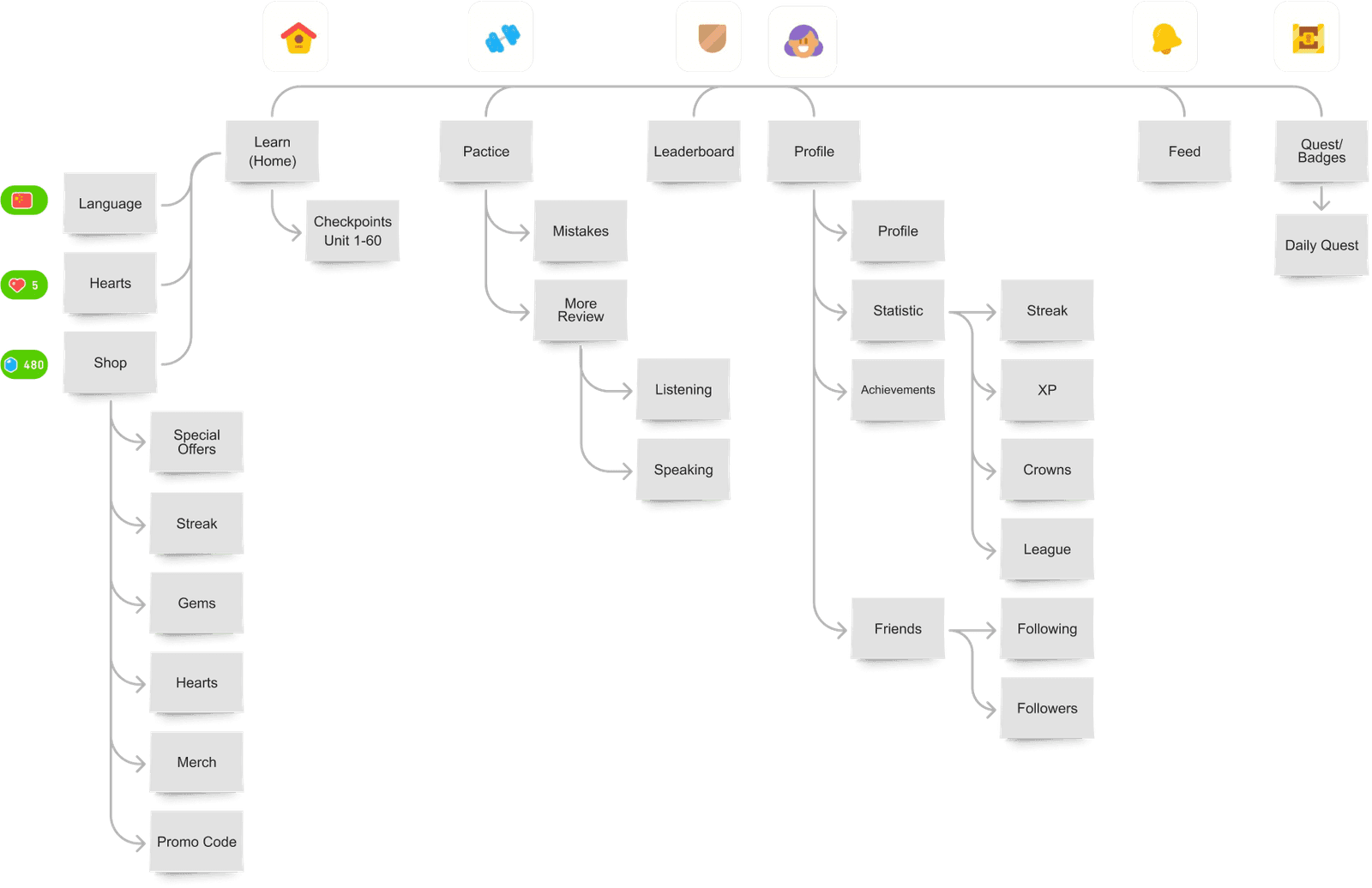
Existing IA: The original app had six icons on the bottom menu, but they didn't have labels, so new users often felt lost. During testing, this came up a lot.
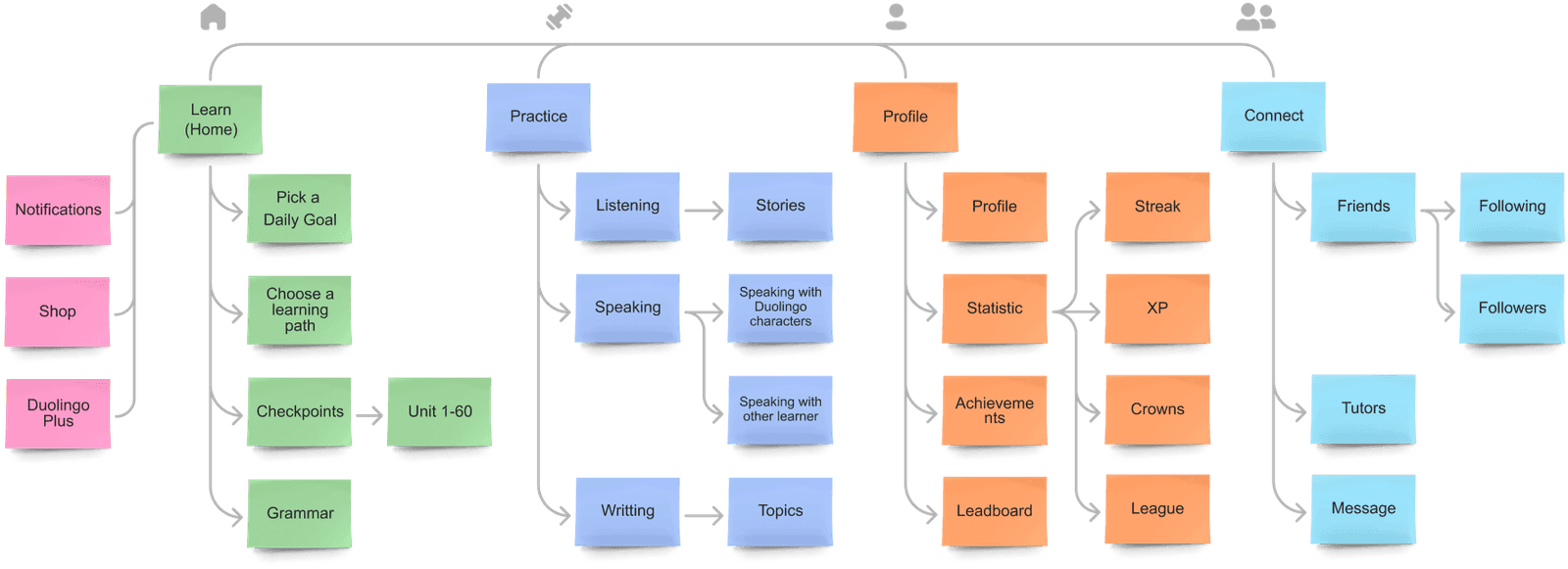
Proposed IA: I created a new site map to show what features should be included and where they should live in the app, finding the right home for each new idea.


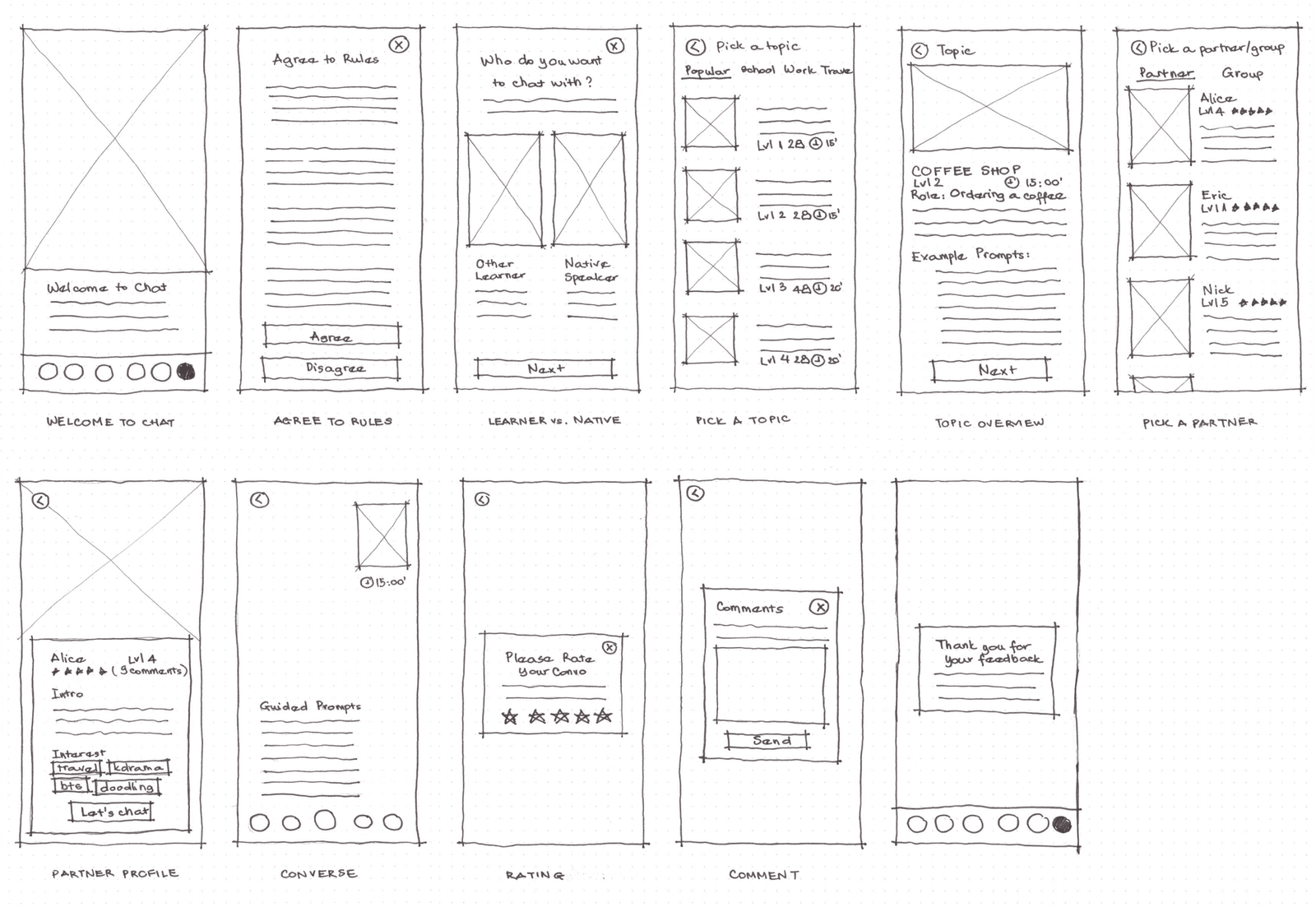
I developed a set of sketches that outline the layout and fundamental structure of the interface before incorporating content, navigation, and visual design.

Solutions
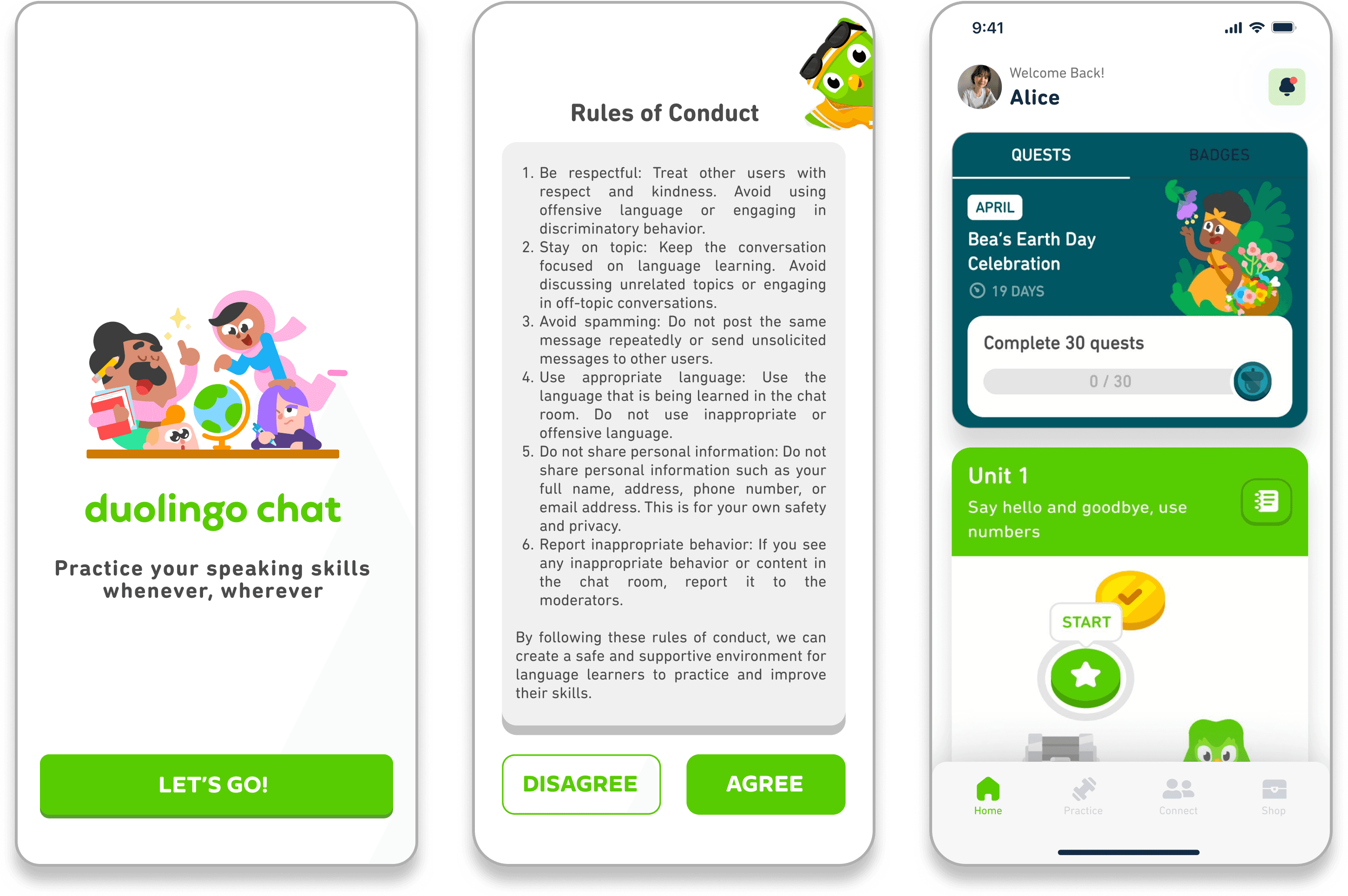
Before chatting, users agree to be kind and respectful. These rules help create a safe and inclusive space for all learners.
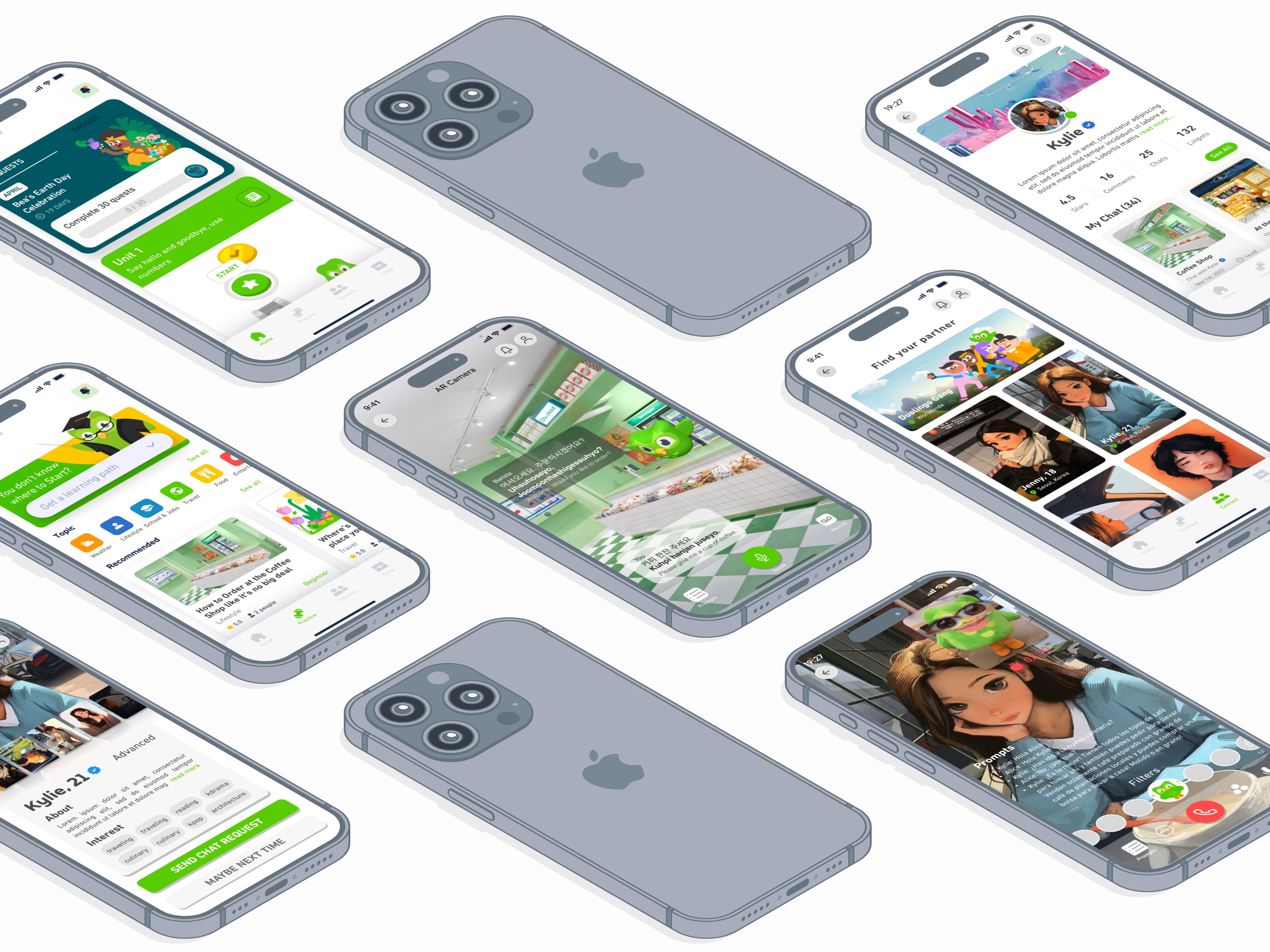
Quests and badges are front and center to keep users motivated. A friendly welcome message personalizes the experience, and navigation is simplified to 4 tabs: Learn, Practice, Connect, and Shop.
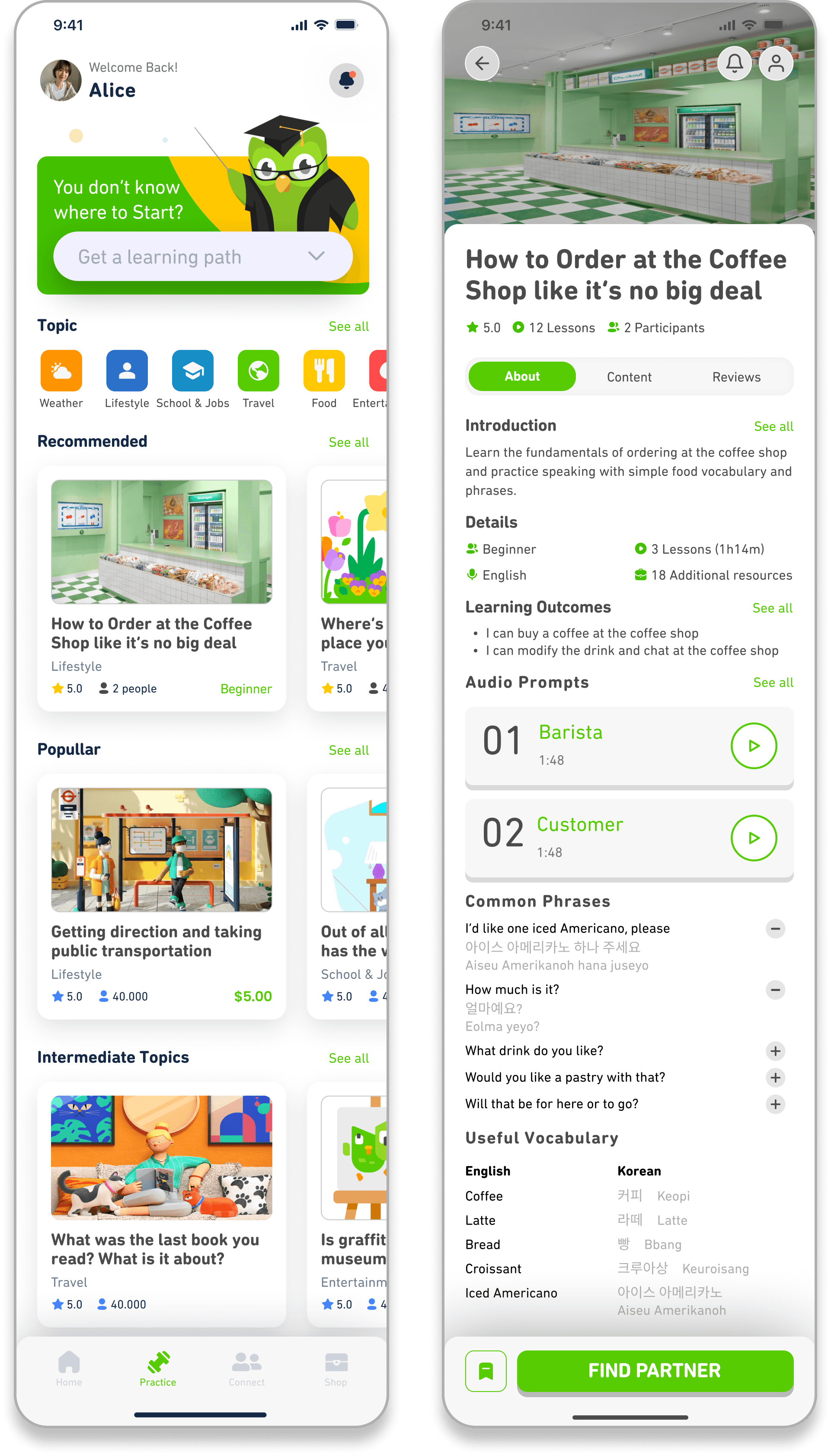
Review and strengthen skills with bite-sized exercises. Choose speaking, listening, or writing based on your level. The more you practice, the more the app adapts to you.
Get guided speaking practice with helpful prompts. Topics are everyday and relatable — like "favorite food" or "describe a trip" — with time to prepare before speaking.
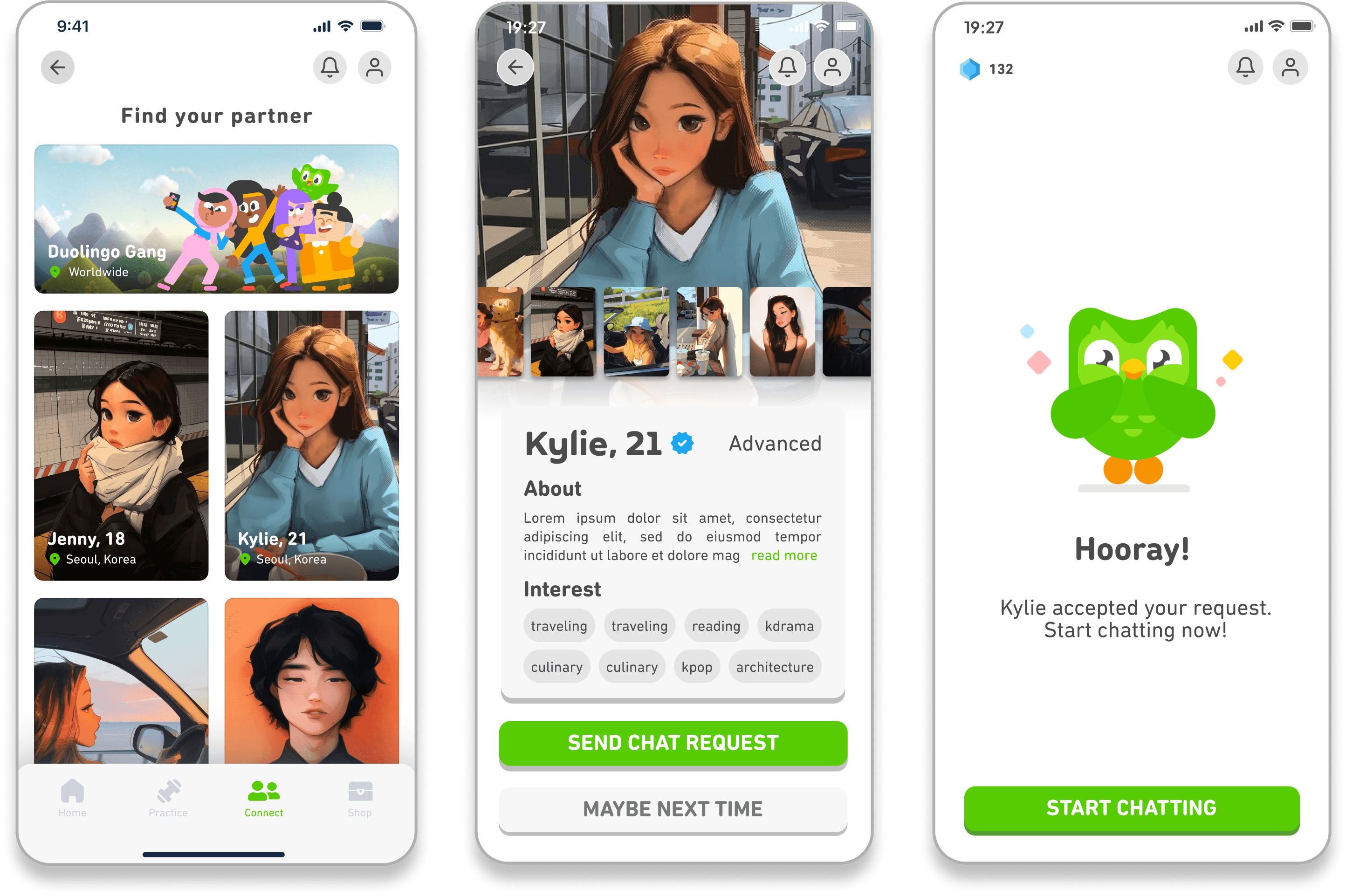
Match with learners or native speakers who want to practice the same topic. Check their profile, send a message or friend request, and start chatting once accepted.
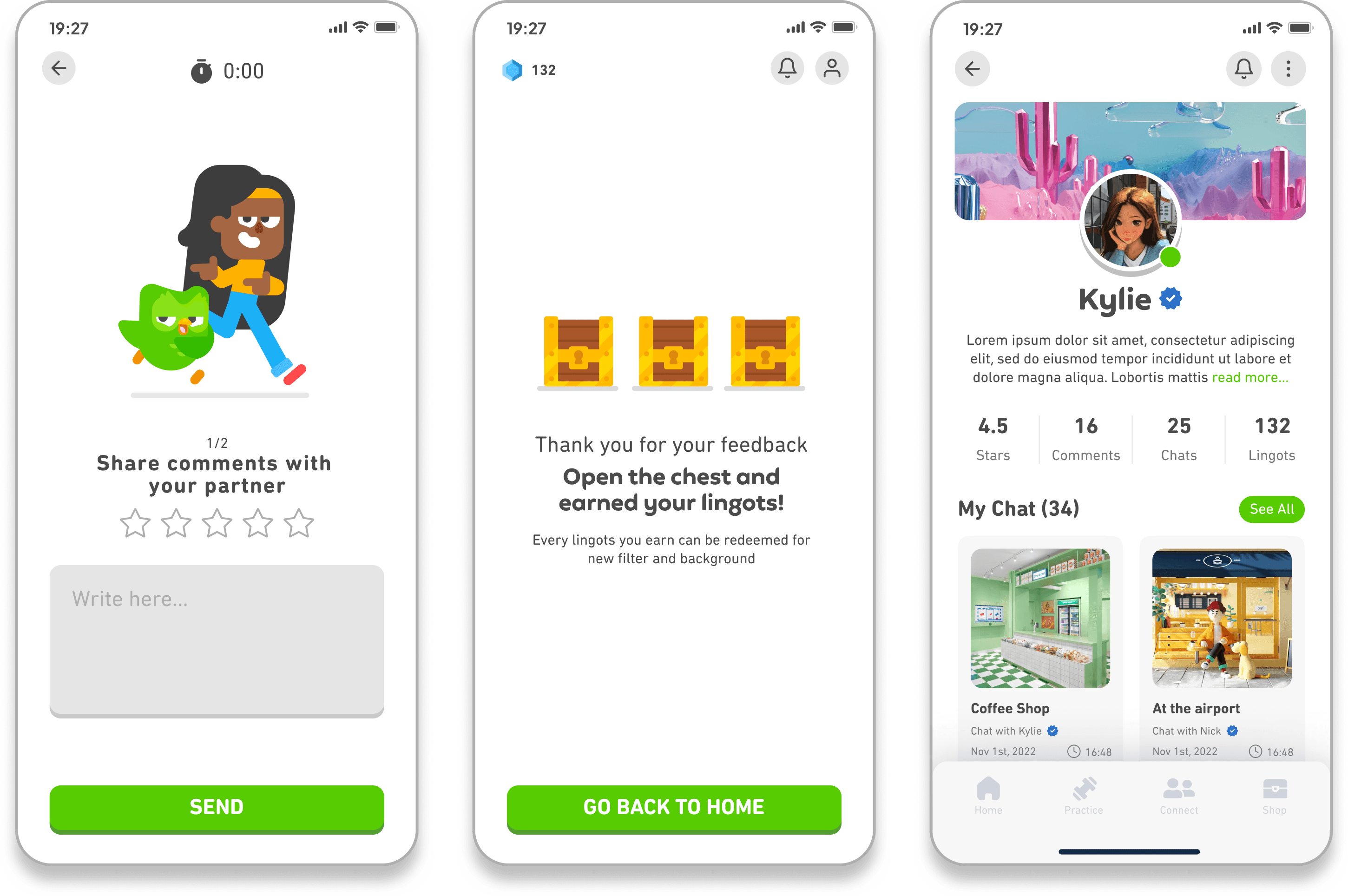
Use AR filters in video chat to ease nerves and keep it fun. Prompts help break the ice, and after chatting you can leave feedback and review your recordings.
Finish a chat and open a reward chest to earn gems, spend them on fun filters or items. Watch an ad to double your prize — gamified learning at its best.
Customize your profile and avatar. Track your streak, progress bar, and digital gems, and see past chats and feedback for ongoing self-improvement.
Testing & Iteration
Users were generally satisfied with the design. But I overlooked that the youngest group (13–17) needs more supervision when interacting with strangers, and users wanted safeguards to filter out inappropriate use (dating or selling).
Allow minors to chat only with Duolingo characters (AI + AR) with increased moderation; establish clear community guidelines with reporting and blocking; add automated moderation; and integrate Duolingo Chat into the main app.
Impact
My Takeaways
As a longtime Duolingo user, this project felt especially close to me. I've always loved the app's playful approach, but I also know the frustration of hitting a plateau — not being able to read a phrase, and freezing up when it's time to say it out loud.
Designing Duolingo Chat gave me a chance to reimagine what real conversation practice could look like: fun, low-pressure, and truly immersive. Exploring VR pushed me out of my comfort zone, but it opened up a whole new world of possibilities for language learning.
This project reminded me that the best design doesn't just teach — it builds confidence.
I am currently looking for a team where I can take part, learn from, and become a better designer (/human).
Let's Chat! ↗